
Questionnaire
Enter the Case No in the field provided and click Check.
Questionnaire
|
If the user has entered an invalid Case No, the system will prompt the user to enter a valid Case Number.
|
Select the Details of Order(s) to be enforced and select the Enforcement Document Details.
|
Upon selection of the Enforcement Document Name, the List of Parties section will be displayed again below the Questionnaire section. |
In the second List of Parties section, mark the checkbox to identify which party is the Respondent in this Application.

List of Parties - Respondent in this Application
In the Basis of Execution section, enter information in the fields provided.
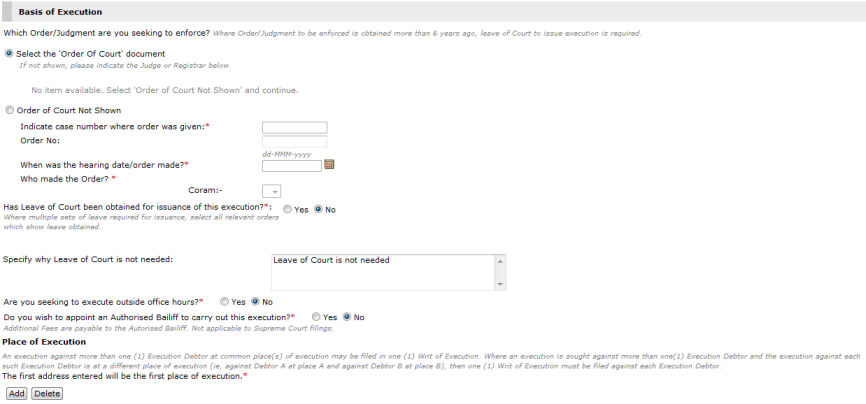
Basis of Execution
|
Additional fields may be displayed depending on the selections made by the user. |
Click Next. The Step 2: Form Page will be displayed.
Continue: Enforcement of Order of Tribunal Case - Step 2: Form


